
Webcams make the faces of our loved ones ever closer to us and our privacy ever more remote. The act of linked conferencing for business or communicating with our loved ones living in different cities or, what's more, different countries, has imperceptibly entered our lives, and then, of course, COVID-19 just hastened the process, and to date, many firms continue to work “in cyberspace” or with a mixed format.
Switching on the camera has become a mere habit now. In comparison, the convenience that it affords has a catch that not a single soul predicted. This is the fact that cyber fraudsters can easily access your webcam without you actually knowing what is occurring. After hacking into it, they can monitor what you are doing in the surroundings that are within your visibility, steal some confidential information, and worst comes to worst, they may end up blackmailing or extorting money from you. However, the bright side for you is that it can be remedied by instilling the right habits.
Webcams require careful attention concerning positioning and framing. If the webcam zooms into the image automatically and changes angles without your intervention, that is suspicious activity. Most hackers will change the settings of the webcam according to their needs. Moreover, it is very easy and effective to either cover your webcam with a tape or a sliding webcam cover. It will remain exposed only if and when you wish to use it and will go back once you are finished.
When downloading any application or software, be very careful. There are applications that tend to ask for camera access even if there’s no need at all. If you feel that there is no need to give any application access to your camera, then don’t allow them to. The fewer applications you allow to use your camera, the better.
Installing anti-virus software is always essential. Now, the installation of anti-spy software is also of utmost importance. They automatically identify any unwanted software or suspicious links in the initial stage itself and thus always make sure that the pathways remain closed to hackers on your computer. "You never click on links or download any files that arrive in the form of an email message whose addresses are unknown," cautions Marc Bizarri of Qスコア. "These often contain Trojans that will guide the actions of the web cam or even the computer itself." "If the suspicious email message is from contacts in your address book," Marc goes on to explain, "you should warn them about the issue. Their email account might have been compromised." Furthermore, as an added measure of protection, always make it a habit to turn on the PC camera only when there is actually a need to access it and turn it off when not in use through the settings function. Always keep the operating system up-to-date as security updates often provide essential security fixes protecting the operating system from certain security risks operating in the background.
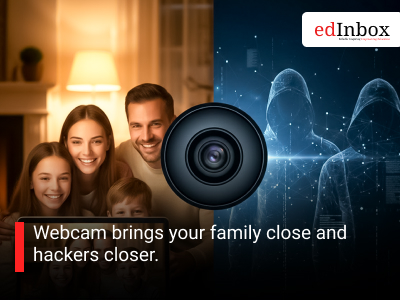
Webcam brings your family close and hackers closer.
Typography
- Smaller Small Medium Big Bigger
- Default Helvetica Segoe Georgia Times
- Reading Mode